ALL-IN-1 Student Pass
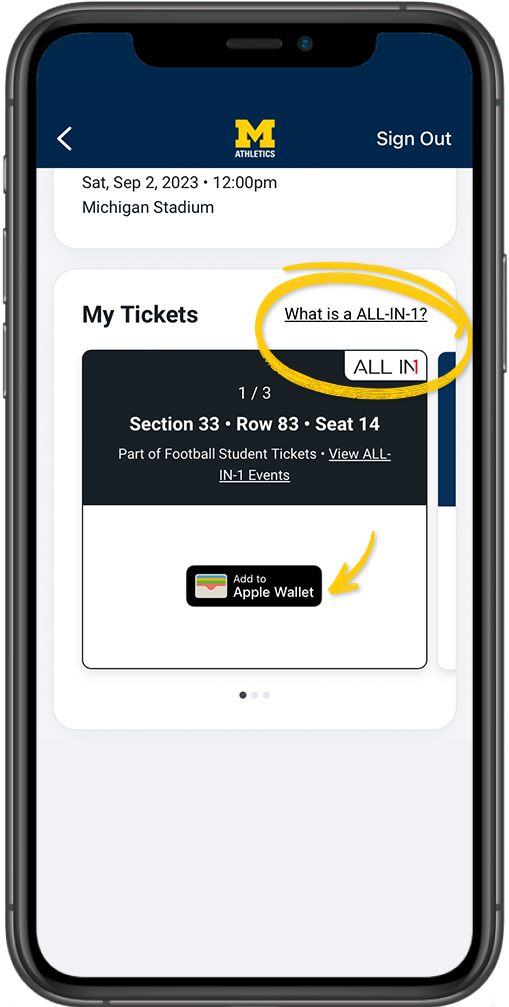
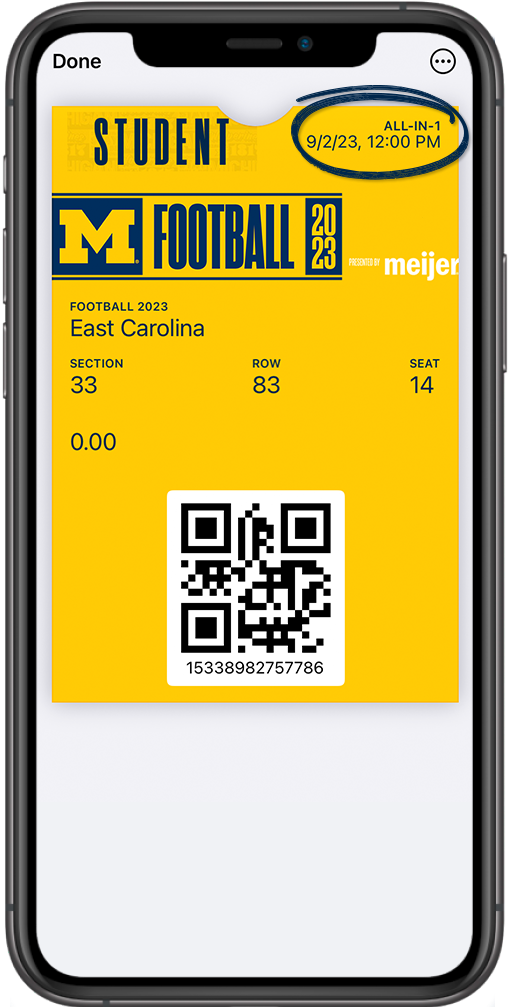
Michigan Athletics is excited to introduce ALL-IN-1 pass for football student season tickets. Students can simply log in to My Account, look for tickets marked as ALL-IN-1, and add the ALL-IN-1 ticket once to their digital wallet. Your ALL-IN-1 pass will show the first event. After that, it will automatically update to show the subsequent event. You can still manage and transfer individual event tickets in My Account.
This change will declutter your mobile wallet and make it easier to add games to your wallet.
ADD ALL-IN-1 PASS TO YOUR MOBILE WALLET
|
Step 1 On your mobile device, log in to your Michigan Athletics student ticketing account using your student email or ID number and password.
|
Step 2 Look for tickets with the ALL-IN-1 Mark. Then tap the "Add to Wallet" button.
|
Step 3 Finish adding the ticket to you're wallet and you're done for the season! Your All-IN-1 pass will rotate and automatically update before the next event. ALL-IN-1 pass will update if tickets are transferred or become unavailable.
|